
Tag is a word or phrase representing the role, status, usage of a device, or another property useful in device management. This article explains the use of tags in device management. The article about managing tags shows how to use them.
How to use tags?
1. Identifying, grouping, and searching devices
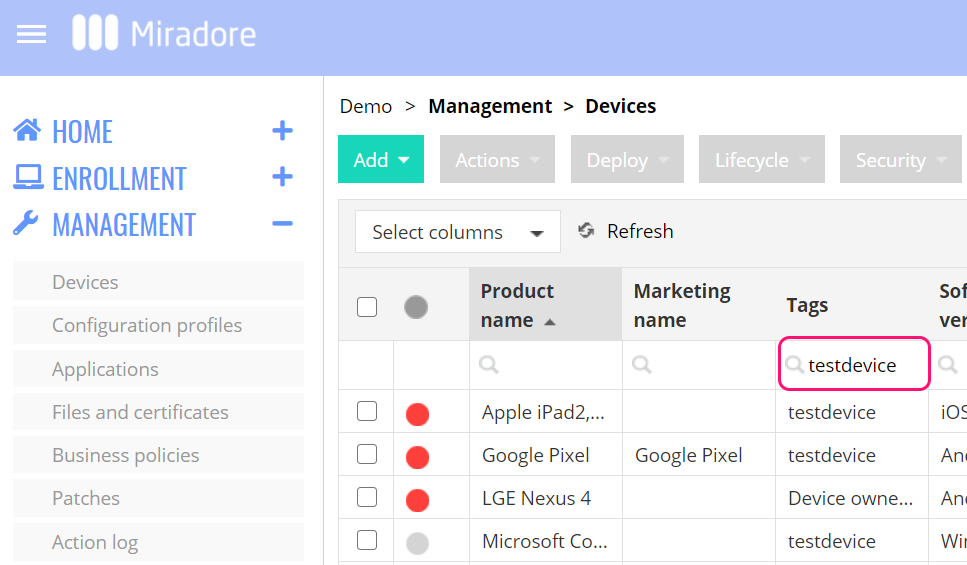
With tags, it is easy to find and manage groups of devices. For example, you can use a tag as a filter on a device list view.
2. Targeting business policies
Tags can be used to define the scope, and the devices, to which business policies will be applied. 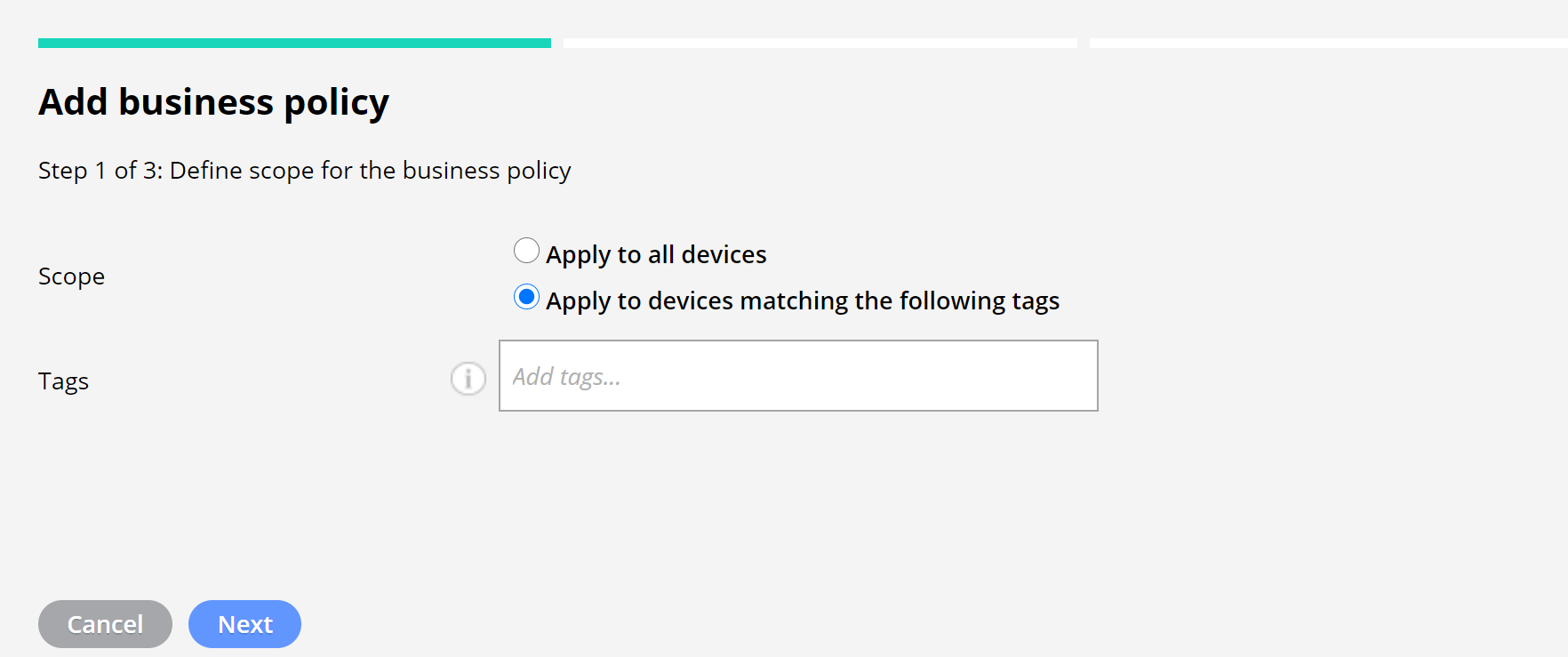
Tags help administrators to manage devices better when they use business policies to deploy applications, configuration profiles, files, and certificates to devices. For example, devices for sales and marketing might require different settings and applications from devices used in finance. With tags, the administrator can manage these different device groups and target required business policies to them.
Read the article How to create a business policy to find more information about business policies and tags.
3. Defining Patch installation settings
With Miradore, administrators can manage patches for Windows devices. Tags help administrators to automate the patch deployment to different device groups. Read more about patch management for Windows devices in Miradore.
4. Managing user permissions
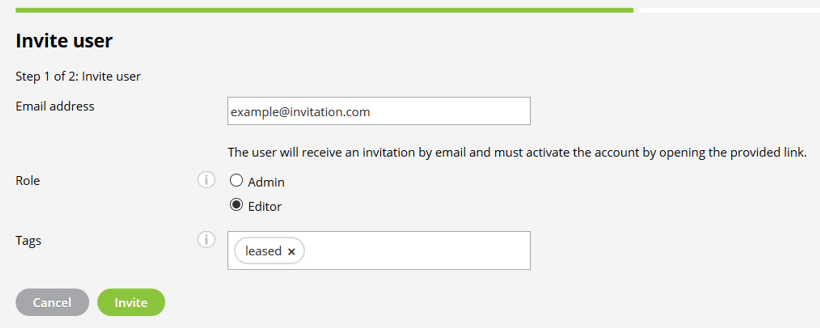
Tags can be used for managing the permissions of editor users in Miradore. By default, editors can see all managed devices on the site, but access can be limited with tags. Editors are unable to see or manage devices that are outside the tag-defined permission level.
Default tags
There are some default tags that Miradore adds automatically to the devices in certain conditions.
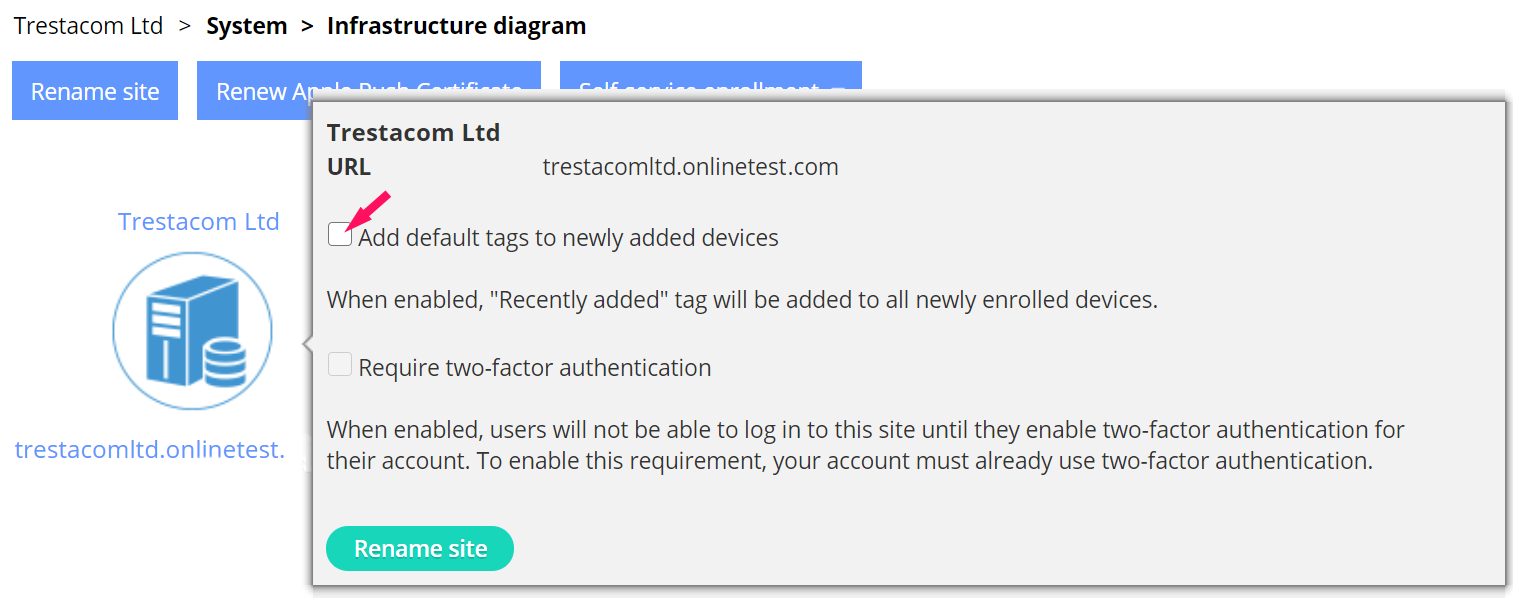
The Recently added tag helps the administrator to identify devices that might need attention after the enrollment. Enable the use of the tag from the Infrastructure diagram.
The default tag dep is added automatically for each Apple device enrolled to your Miradore site through Apple Device Enrollment program.
When the Android device is enrolled as work managed device, it will be tagged with the Device owner tag. The default tag Profile owner is for each Android device where the work profile has been enabled. Administrators can utilize these tags, for example, to target business policies for Android devices.
Have feedback on this article? Please share it with us!
Previous Article:
« Device data security widget
Next Article:
Managing tags »