
Sometimes device users might try to unenroll their device from mobile device management by removing the device management profile or the Miradore Online Client from their device.
There is no consistent way to prevent the unenrollment on all device platforms, but the following measures can be taken on different device platforms to prevent users from removing their devices from mobile device management.
Android devices enrolled in Fully managed mode
Factory reset is the only way how users can remove management from Fully managed Android devices, but administrators can prevent users from performing a factory reset on a Fully managed Android device. See Preventing Factory Reset on Fully Managed Android Devices for more.
Android Enterprise Work Profile
It is not possible to prevent users from removing the Android Enterprise Work Profile from their devices. If they do so, they will lose the company apps and configurations. One thing administrators could do is to inform the users about the possibility that users can temporarily turn off the Work Profile, instead of removing it completely.
Samsung Knox Android devices
The Miradore Online Client can only be removed from an Android device after disabling its Device administrator rights. Therefore, the removal of the Miradore Online Client can be effectively prevented by denying the users from removing the device administrator rights from the Miradore Online Client.
You can do this for Samsung SAFE/KNOX-enabled Android devices by using a configuration profile (Android > Restrictions > Administration > Device administration removal = Denied).
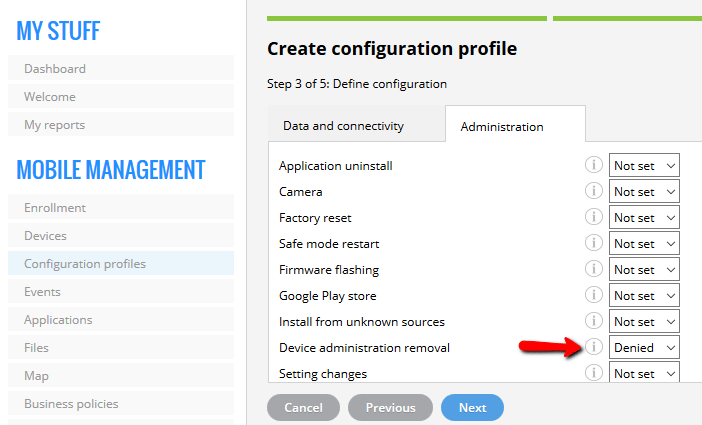
For further information, please see the Restrictions for Android article.
Unfortunately, standard Android devices don't support this particular configuration profile.
iOS & macOS
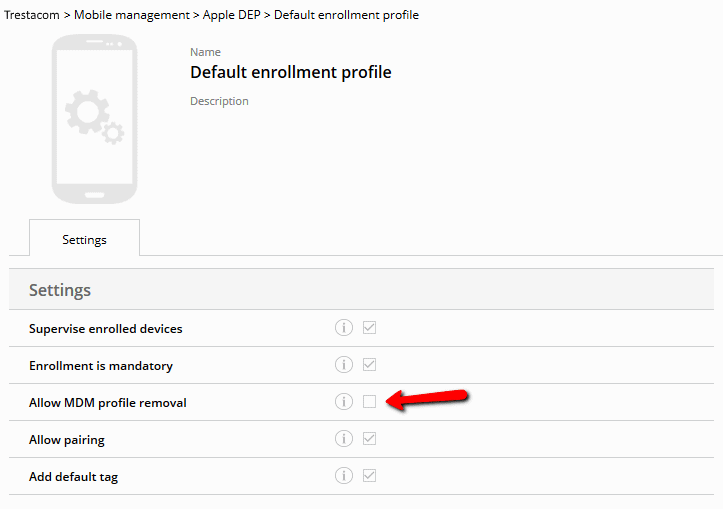
The only way to prevent device users from unenrolling Apple devices is to enroll the devices to Miradore Online through Apple Business Manager's Device Enrollment Program (DEP). On the DEP enrollment profile settings, there is a setting Allow MDM profile removal, which determines whether the device users are allowed to unenroll their devices or not. Make sure that this option is unchecked if you want to prevent the unenrollment of devices.
Windows 10/11
Windows 10 and 11 users can, by default, unenroll their device from the remote management by disconnecting the MDM profile on the device.
It is, however, possible to create and deploy a CSP policy with Miradore, which makes the MDM profile non-removable.
For more details, please read How to make MDM profile non-removable on Windows 10/11.
Get notified when the user unenrolls a device
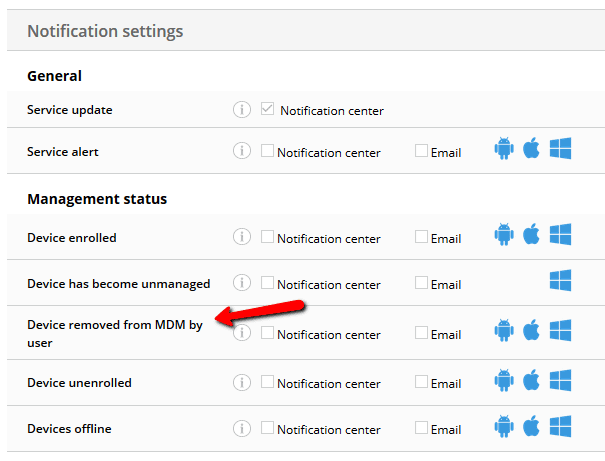
You can configure Miradore Online to notify you if a device user removes his or her device from the mobile device management. You can enable the notifications from Notification settings under My settings in Miradore Online. For more information, see About notifications and alerts.
Have feedback on this article? Please share it with us!
Previous Article:
« Location tracking
Next Article:
Preventing users from unenrolling their devices »