
There are situations where you would want to change the name of your Miradore site. For example, you can rename your site when there are changes in your company profile like a merger with another company. You can also change it when you want it to be more appealing.
Please bear in mind that the URL of your site will not be affected upon renaming the site.
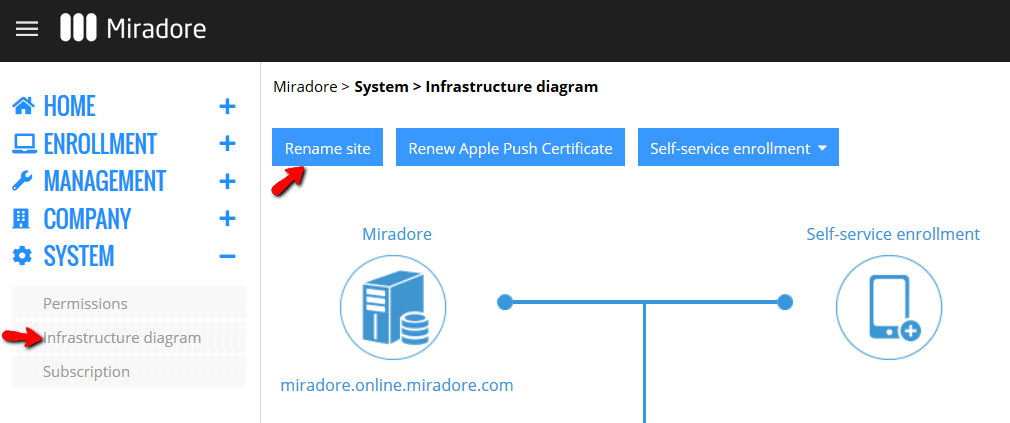
1. Navigate to System > Infrastructure diagram and click the blue Rename site button on top of the page to give your site a new name.
2. Type in the new Company name and click Save.
3. A notification will appear to confirm that the site was renamed successfully. Close the rename wizard.
4. You may review the change from the infrastructure diagram. Please note that the URL of your site will not be affected upon renaming the site.
Have feedback on this article? Please share it with us!
Previous Article:
« Enabling two-factor authentication for a Miradore user account
Next Article:
Notifications and alerts »