
A Windows 10 password policy sets standards for the use of login passwords on Windows 10 computers managed by your organization.
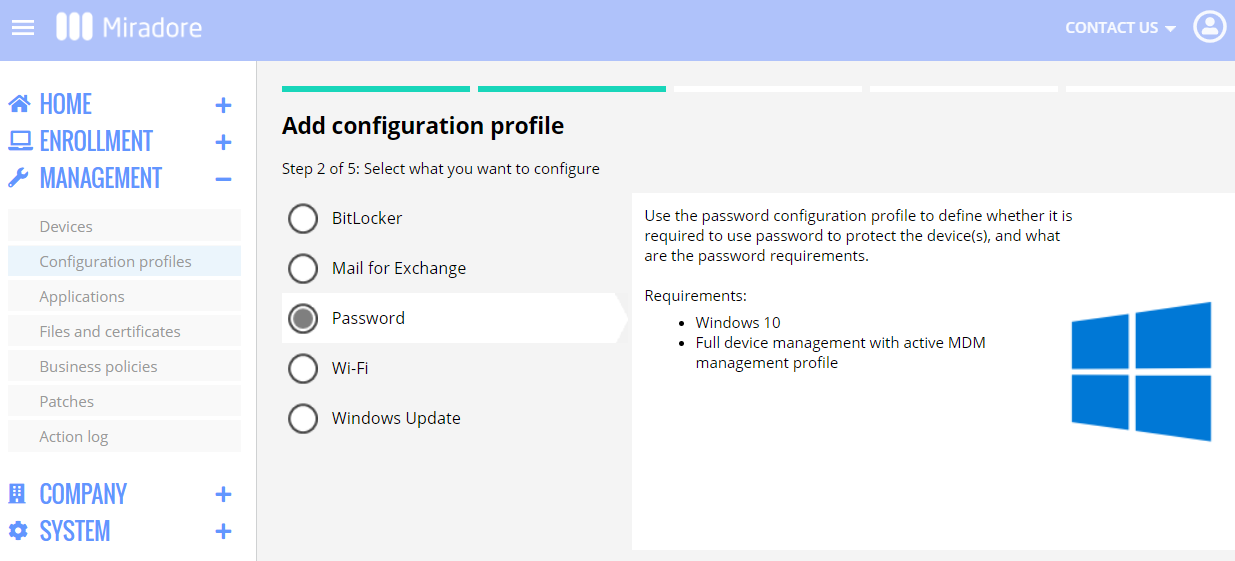
With Miradore, you can implement a password policy for Windows 10 computers using the Password configuration profile. The Password configuration profile is available in all plans of Miradore. It enables you to enforce the use of Windows 10 login passwords for local accounts, make users change their passwords, and set requirements for the passwords.
Preparations
- You need to have either Administrator or Editor role on your Miradore site.
- The Password configuration profile is applicable to fully enrolled Windows 10 computers that have Miradore's MDM profile installed.
- The Password configuration profile affects only local user accounts. Neither Active Directory user accounts nor Microsoft accounts are affected by the profile.
How to create a password policy for Windows 10?
To create a passcode policy for all local users' accounts on Windows 10 devices, follow the steps below:
- Go to Management > Configuration profiles and create a new configuration profile (click Add > Windows > Password).
- Configure the password requirements and settings. See the table below for more details.
Setting Description Password required Specifies if a login password is required for all local user accounts on Windows 10 computers. Minimum length Specifies the minimum accepted length of the password. Minimum password age Specifies the shortest time to use each password. The default value is 1 which means that users can change their password once per day at most. The purpose of setting the password age is to prevent users from recycling their previous passwords back to active use too quickly. Expiration age Specifies the maximum period of time how long a password can be used before it must be changed. History restriction Specifies the number of previous passwords that cannot be reused. Maximum number of failed attempts Specifies the maximum number of failed login attempts. If the user exceeds this limit and BitLocker is configured, the device will be put on to the Bitlocker recovery screen. If BitLocker is not configured, the device will be booted if the user exceeds the limit of failed login attempts. Maximum screen lock timeout Specifies how quickly an idle device will be automatically locked. Notice that the device user can set a shorter screen lock timeout for the device than the policy, but not longer. - Deploy the configuration profile to Windows 10 computers either using the configuration profile deployment wizard or with the business policies.
- During the next login, the device users will be prompted to enter a password that fulfills the specified requirements.
How to make users change their Windows 10 password?
You can force users to change their Windows 10 login password periodically with the Expiration age configuration option.
If you deploy a password policy that is stricter than the user's current password, the user must define a new password that meets the requirements.
Troubleshooting
Answers to common questions and possible solutions to known issues.
Why does the deployment of a Password configuration profile fail?
Deployment of the Password configuration profile can fail for several reasons. The deployment fails always if there is even one user account on a device that has the "User cannot change password" setting enabled. Also if the "minimum password age" is equal to or greater than the "Expiration age" of the password, the deployment will fail.
How to clear/disable the password requirements?
Remove the deployed Password configuration profile from the device. Miradore will then restore the default password settings to the device.
Why device user cannot change the password although the profile has been removed already?
The minimum password age on Windows 10 devices is one day. Perhaps enough time hasn't passed since the last password change? You can try to create and deploy a new Password configuration profile to override that. If you want to allow the user not to use a password, you can set the "Password required = No".
Can I reset Windows 10 passwords for the local user accounts remotely?
No. Resetting passwords for local user accounts is not possible with Miradore. Local administrators can reset passwords for other local users.
Is it possible to bypass Windows 10 password with Miradore?
No.
Have feedback on this article? Please share it with us!
Previous Article:
« Windows 11 compatibility widget and minimum Windows 11 requirements
Next Article:
Custom policy configurations for Windows 10 and 11 »