
Miradore Premium plan is compatible with Apple Business Manager Apps & Books (integrating Apple Volume Purchase Program [VPP]) which enables organizations to purchase and deploy applications to their devices in bulk.
This article describes how you can start to use the Apple VPP with Miradore.
How to connect Miradore to Apple VPP
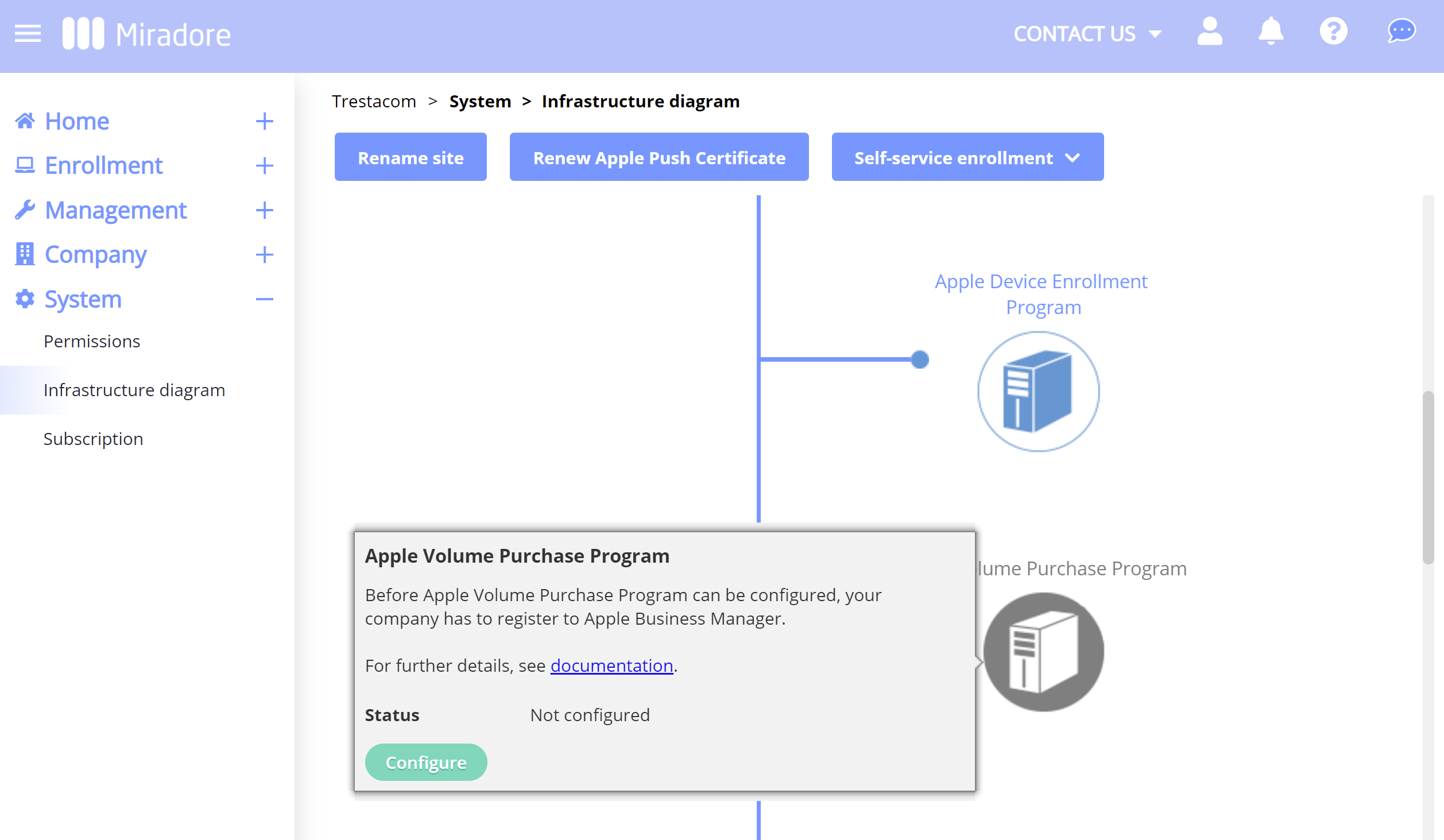
- In Miradore, go to the System > Infrastructure diagram page. Hover your mouse cursor over the Apple Volume Purchase Program icon and click Configure.
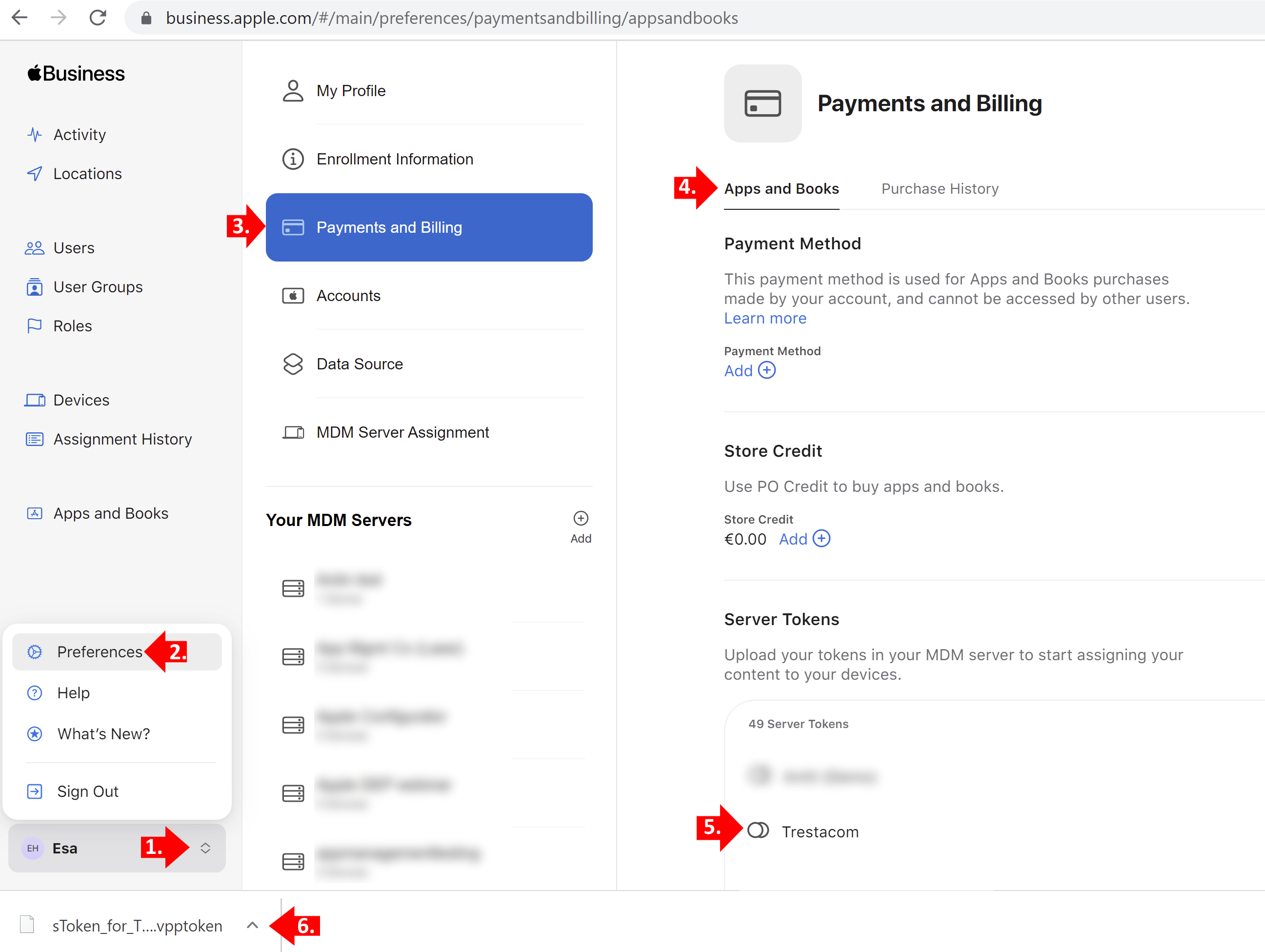
- In the Apple Business/School Manager, click your profile name from the bottom-left corner, choose Preferences > Payments and Billing > Apps and Books, look for the correct MDM server in the Server Tokens list, and download its token by clicking on it.

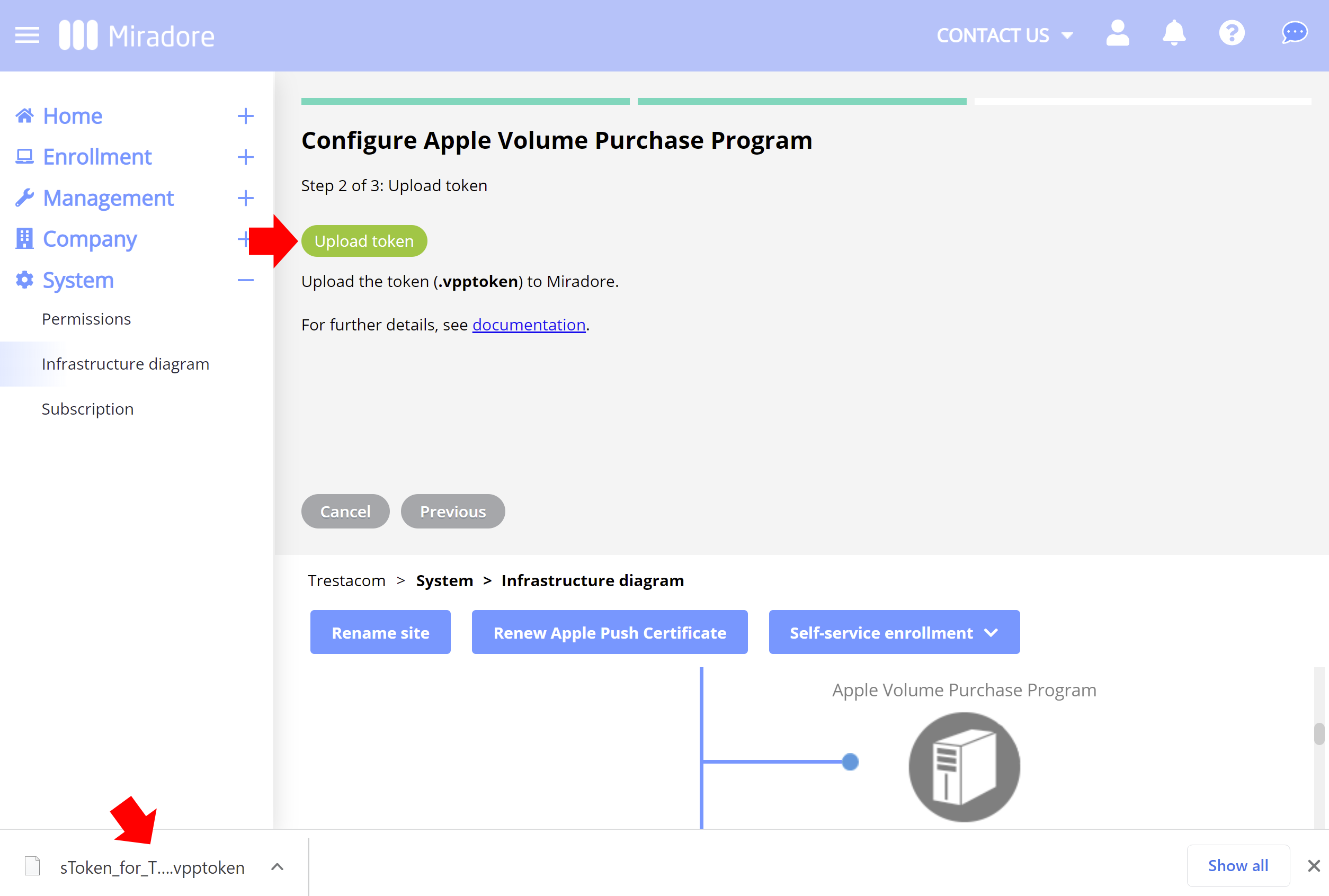
- Then go back to your Miradore site and upload the vpptoken in the Configure Apple Volume Purchase Program wizard. After this, you should be all set!

Troubleshooting tips
How to troubleshoot typical problems that might occur during the process.
I can't find my MDM server from the Server Tokens list
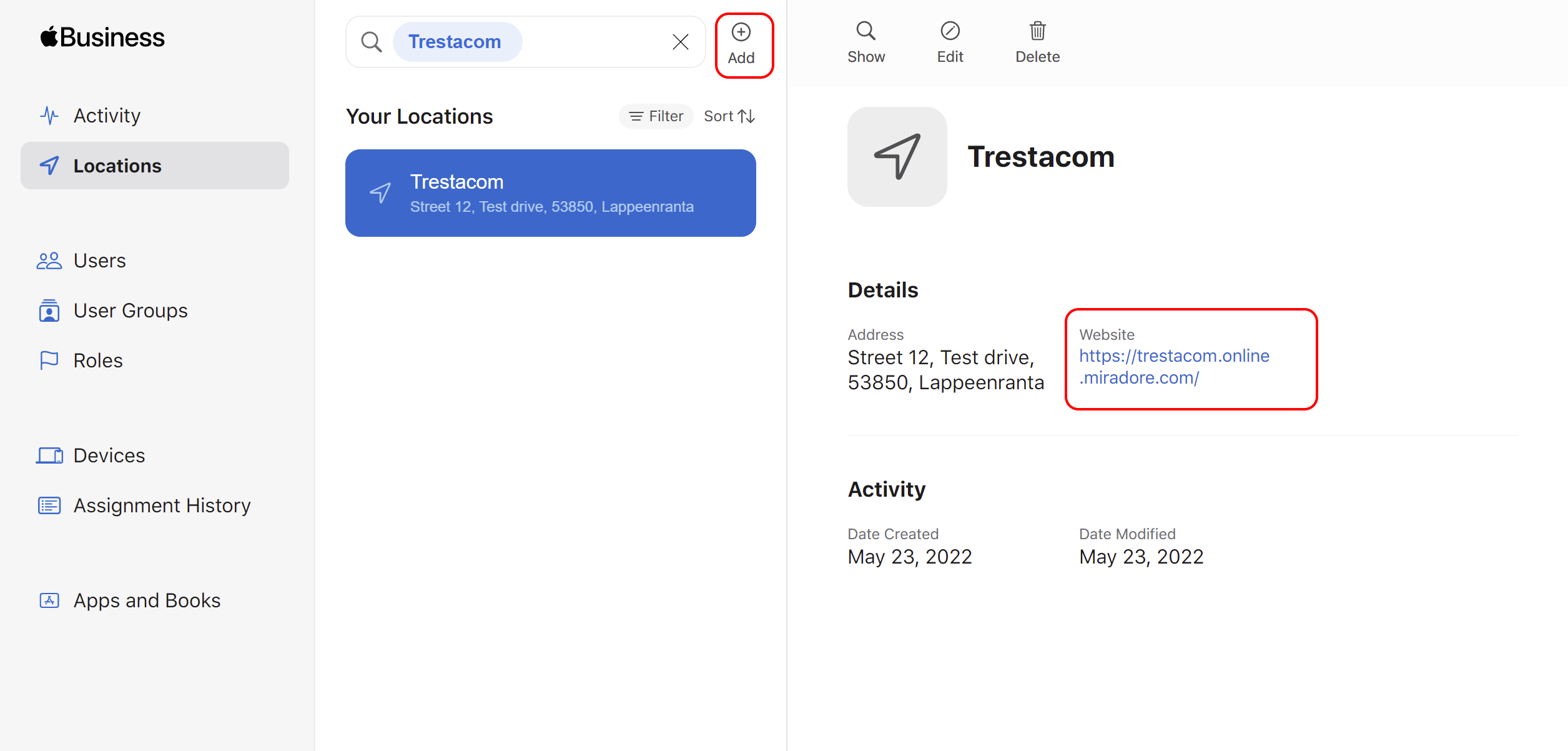
If you have integrated your Miradore site with Apple Business Manager, but still cannot see the MDM server on the Server Tokens list, you probably need to create a new location in Apple Business/School Manager and link your Miradore site with the location. After adding the location, the MDM server should appear on the Server Tokens list.
Allow Miradore manage your VPP account -banner

The banner about managing your VPP account tells that there is no active Apple VPP account on your Miradore site. Please note, that there can be only one active configuration per Apple VPP token. If you have configured a VPP account to the site already, check that it is not used somewhere else.
Apple VPP token must be renewed yearly
Please remember to renew the Apple VPP communication token within a year. If the token expires, you cannot deploy applications associated with the token to your devices.
More information
About Apple Volume Purchase Program
How to invite users to Apple Volume Purchase Program
How to manage Apple Volume Purchase Program licenses
Have feedback on this article? Please share it with us!
Previous Article:
« Apple Volume Purchase Program
Next Article:
Renewing a VPP token in Miradore »